Project Overview
In this guide, we'll walk you through the steps of 3D printing of a replica using the Monocle Prime app.
Check this guide and let's proceed together!
Why not download the files and give it a try!
Last Updated: 2025.Dec
In this guide, we'll walk you through the steps of 3D printing of a replica using the Monocle Prime app.
Check this guide and let's proceed together!
Why not download the files and give it a try!
Ultimaker Cura is a free slicing software designed for 3D printing. It takes 3D models (such as STL or OBJ files) and converts them into G-code instructions that a 3D printer can understand.
Users can fine-tune every aspect of their print — including layer height, infill density, supports, print speed, and temperature. With its intuitive interface and powerful customization options, Cura is easy enough for beginners yet precise enough for professionals.
It supports a wide range of 3D printers, not only from Ultimaker but also from many other brands, making it one of the most popular slicers in the world.
The content is explained step-by-step with accompanying images.
Note
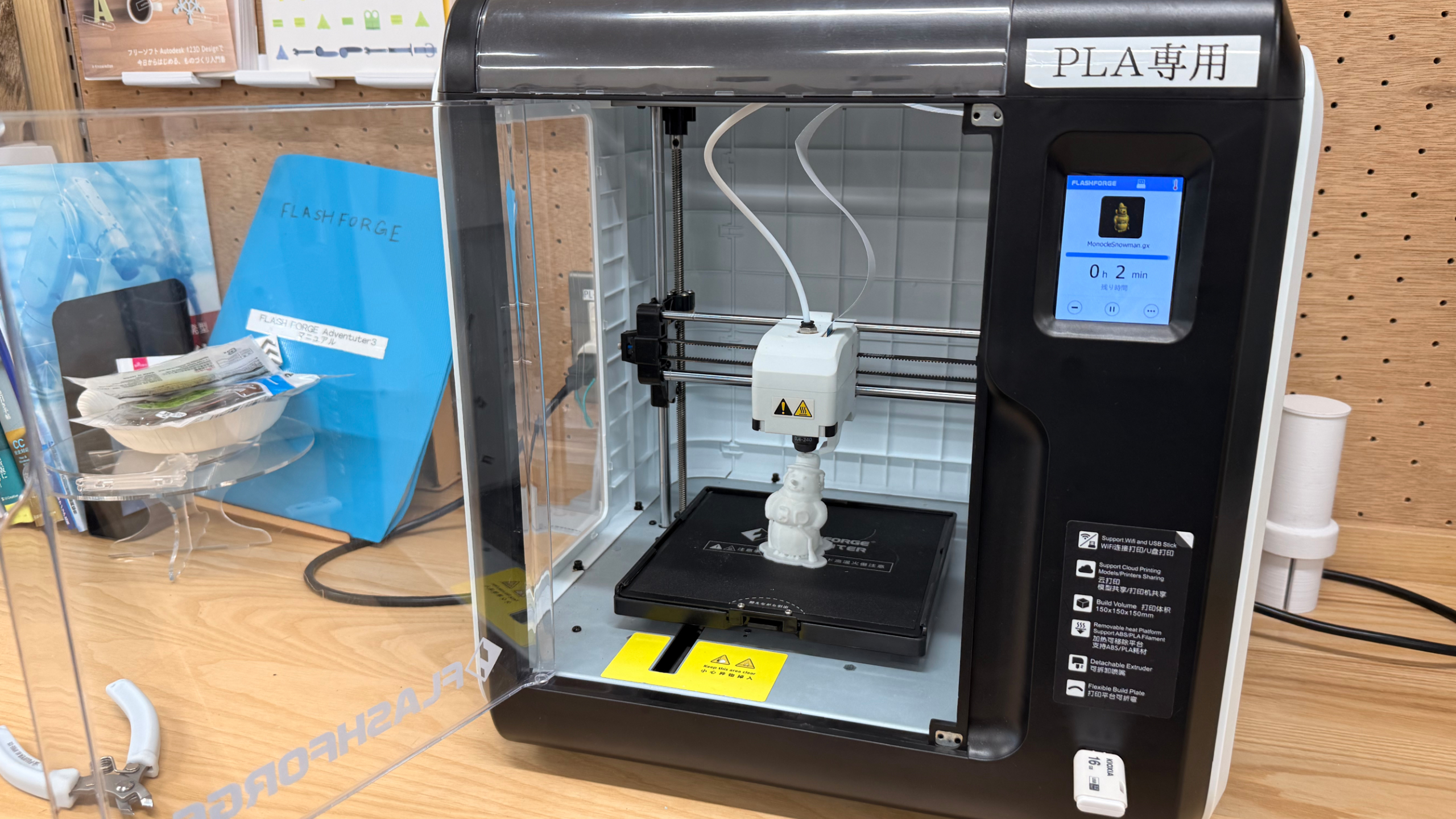
A 3D printer is a device that creates physical objects from digital data. Using scanned 3D models or designs created in software, it builds objects layer by layer with materials such as plastic, resin, or metal.
Because it allows ideas to quickly take shape, 3D printing is widely used in prototyping, product design, education, healthcare, and art.
You can even take your 3D models scanned with Monocle and bring them to life as real physical objects through 3D printing.
3D-printed objects can be made even more attractive by removing layer lines using modelling clay or sandpaper, then painting them with spray paint or acrylic paint!
I've painted the object printed on the 3D printer! He looks much more appealing now! Let's try 3D printing objects scanned with Monocle Prime!
Ota City Minami-Rokugou Startup Support Facility │Rokugo BASE: https://rokugobase.com/prototype/